Route-ready storm address files for roofing canvassing
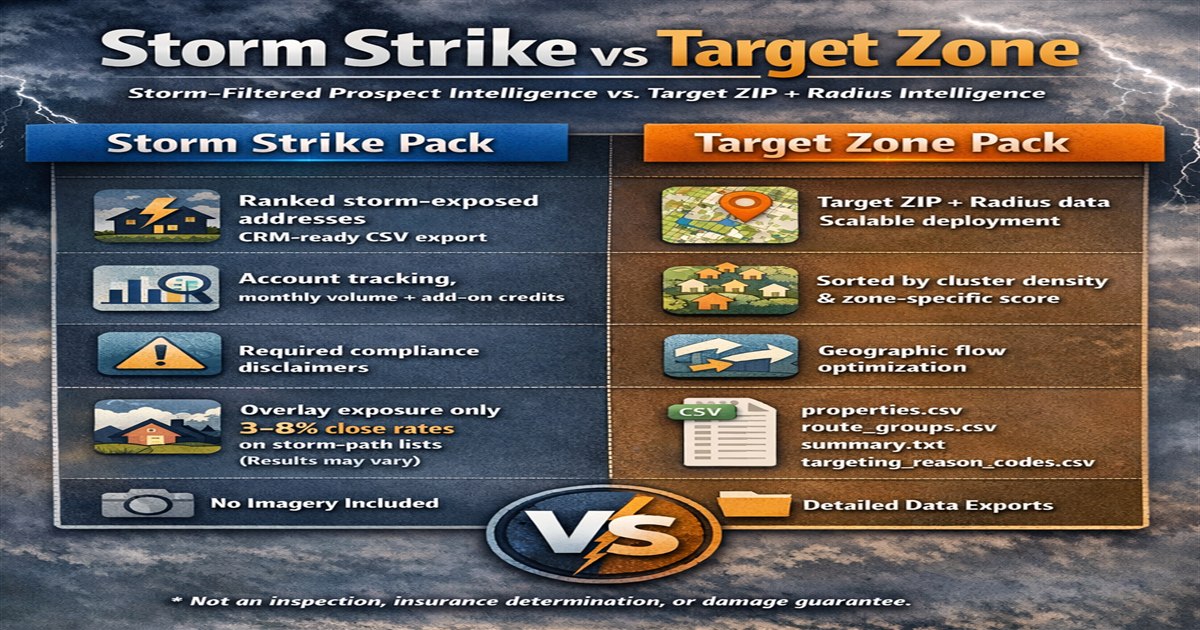
Storm Strike separates the residential address CSV, route groups, source-labeled storm summary, and order manifest so crews can import and organize the delivery without proprietary software.
Route groups organize nearby address rows. They do not guarantee an optimal drive sequence, road access, or canvassing permission.
Four files with separate jobs
Keeping delivery fields separate makes review and import easier while preserving the order and storm context.
Address CSV
Street, city, state, ZIP, and delivery fields formatted for standard spreadsheet and CRM import workflows.
Route groups
Nearby rows grouped to reduce manual street sorting. Confirm the final sequence in your own mapping tool.
Summary and manifest
Source-labeled storm context plus the order reference, selected ZIP, pack count, and fulfillment details.
A safer import sequence
- Open the CSV in Excel, Google Sheets, or the CRM import preview.
- Map columns by header name rather than column position.
- Test a few rows before importing the complete file.
- Preserve the order reference and original file for reconciliation.
Plan from evidence, then verify the field
Before choosing a ZIP, compare event time, source type, hazard value, geometry basis, and address availability. A platform rank is not damage probability.
Confirm road conditions, access restrictions, service-area fit, and lawful solicitation requirements before dispatch.
Review the format before ordering
The illustrative sample shows the general CSV and route-group structure without exposing live inventory.